
1. Quick answer
- Ask for a written description of the “premium” plan: wanted programmes, features, devices, connections and support.
- Check the picture on your own setup; an advertised resolution does not describe the whole experience.
- Try meaningful tasks: opening a programme, reading the TV guide, finding a favourite and using your intended screens.
- Compare the full amount over the same period, including the expenses and conditions relevant to you.
- Keep three states in your worksheet: confirmed, needs checking and unavailable. Decide using your priorities.
Watch the guide
Two offers use the word premium. Compare them through your essential needs and evidence of what is actually included. · 2:45
Open the dedicated video page →
Read the transcript
Two offers use the word premium. Which one is actually worthwhile for your household? When choosing Internet television in Canada, start with what you want to watch and do, then look for supporting evidence. Begin with three essential needs. Specific programmes, audio languages and subtitles, for example. Separate a title advertised, a title found and a title actually played. For an upcoming event, ask for confirmation covering its date and your viewing location. A sports category does not confirm a future match. Next, ask for a written, dated description of the offer. What does this seller mean by premium? Which content, features, devices and support services are included? An unknown inclusion still needs checking, however convincing the plan name sounds. Now consider your setup. For picture quality, separate the advertised quality, playback information and the streaming box's output setting. A four K output does not, by itself, prove that the received video is four K. If the information is missing, record it as unverified. Also look at movement, small text and sound synchronisation. Observe a session at your usual viewing time. Note startup, programme changes and interruptions. Keep the same device and content when comparing a setting. A successful session describes that particular occasion; it does not guarantee annual availability. Try the features that matter. In the TV guide, find the current programme and the next one, then compare the displayed time with your time zone. For catch-up, confirm the programmes, availability period and supported devices. Save a favourite, close the player and find it again. A feature advertised by an application does not confirm that it works with your access. Then describe your screens: television, tablet or another device. Confirm compatibility and the number of simultaneous streams permitted. Test your scenario within those limits. For support, ask about contact channels, language, opening hours and time zone. Opening hours are not a guaranteed response time. Describe a specific problem without sharing passwords or private information. Finally, compare the full cost over the same period: service, player, equipment, taxes and applicable fees. Clarify the currency, renewal and refund conditions. Return to your worksheet: confirmed, needs checking, or unavailable. Decide according to your essential needs. If an essential need remains unanswered, continue checking before choosing. An additional feature only adds value if you use it. This guide offers a method, not an independent ranking or a comparative product test. Find the sources and decision worksheet in our guide to premium IPTV in Canada.
Alternative: YouTube player
The player stays disabled until you click. Loading it connects to YouTube, which receives information including your IP address.
This video uses AI-generated illustrative images and scenes, with synthetic narration. Fictional situations are neither customer testimonials nor evidence of service performance.
This guide offers a comparison method, a worksheet and documented examples. It separates advertised features, written conditions and your observations. OfficialOTT also sells services: this page explains a decision process and is not an independent ranking of providers.
2. What does “IPTV premium” mean in an offer?
- Your need
- Written inclusion
- Observation
- Decision
Treat “premium” as a reason to request specifics. Is it a plan name, a support option, an advertised maximum quality or a bundle of features? Ask the seller what it means in that particular offer. This guide does not assign a certification to the word.
For an example of naming, Netflix calls one plan “Premium” and describes its features in its plan documentation. That is a publisher-defined plan name, not a definition of other services’ offers. The version consulted displayed a country-selection notice and Brazilian prices; no Canadian price is inferred here.
When comparing two proposals, record each exact name and date, then complete the same fields. An extra you rarely use should not distract from an essential condition that remains unknown.
| Advertised item | Question to ask | Evidence to keep |
|---|---|---|
| Premium plan | What does it add to my actual use? | Dated plan description |
| Higher quality | On which programmes and devices? | Technical conditions and observed result |
| Complete service | What is included or charged separately? | Quote and inclusion list |
| Priority support | What hours and response commitment apply? | Written terms, without assuming a deadline |
3. Start with the programmes your household wants
Make a short list: a news programme, a series, a regularly followed event and a family programme, for example. Add the preferred audio language and any subtitle needs. Ask for exact names, then check those items in the offered access if a trial is available.
Separate what is advertised in the catalogue, what you found and what you actually played. For a future event, a sports category visible today does not confirm your upcoming match. Ask about the specific event, its date and your viewing location.
The CRTC explains that distribution rights can depend on territory and time. Include Canadian availability and the provider’s information about content in your checks. An app or logo does not replace that information. Source: CRTC, online content and distribution rights.
For two-language households, the bilingual TV guide helps identify each person’s needs.
4. Picture quality: ask the right questions
Ask what the offer specifies for the programme and your equipment. Keep content resolution, the received format and the streaming box’s output setting separate. If reliable playback information is unavailable, write “received resolution not verified” instead of drawing a conclusion from an attractive picture.
Netflix’s documentation illustrates the dependencies: it asks viewers to check the title, plan, network and equipment to obtain available quality. These instructions describe Netflix; they do not certify another service. Source: Netflix video quality.
Distinguish SD, HD, FHD, 4K and 8K from HEVC/H.265. The ITU describes H.265 as video coding, so its name alone does not establish the received resolution. See the dedicated IPTV picture-quality guide and the ITU H.265 reference for further context.
During your observation, also look at small text, movement, scene changes and sound synchronization. Describe what you see without turning a personal impression into a technical measurement.

5. Smooth playback: observe a normal session
Choose a session that reflects your usual viewing and record its start and end times. Note startup, programme changes, interruptions and recovery. A short log gives support a concrete issue to investigate.
Keep the device and programme the same when comparing a setting. If Ethernet is available and relevant, observe it separately from your usual Wi-Fi. Record the changes instead of immediately attributing a result to the server, network or player. The worksheet alone cannot isolate the cause.
For a numerical availability claim, ask for the measurement period, scope and method. The Competition Bureau explains that performance claims must be supported by adequate and proper testing carried out before the claim. Source: performance claims.
Your session documents one configuration and observation period. It does not establish annual uptime. If playback is difficult, continue with the buffering troubleshooting guide.

6. EPG, catch-up and favourites: check useful features
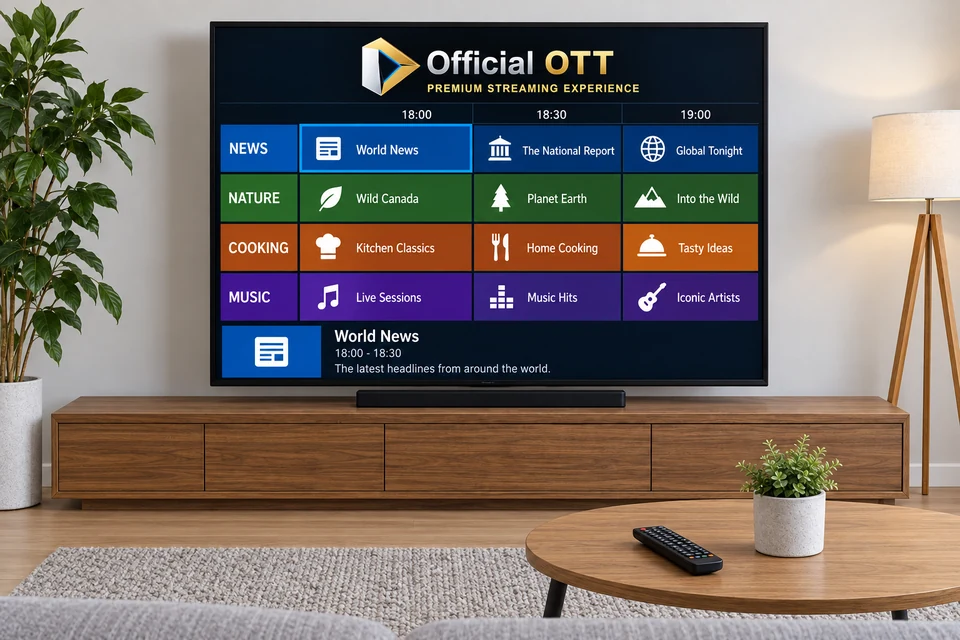
Open the TV guide on your living-room screen. Find the current programme, the next slot and details for a channel you use. Compare the displayed time with your time zone. Leave the guide and return to the programme using the usual remote.
For each advertised feature, ask where it applies: which channels, what catch-up window, which device and which app? Then try a specific action, such as opening an available past programme or keeping a favourite after closing the player. A feature in a software description does not, by itself, establish that it works with your access.
| Wanted feature | Practical check | Result to record |
|---|---|---|
| TV guide | Find the current and next programme | Information present, coherent time or question to resolve |
| Catch-up | Open a programme advertised as available | Programme played or message observed |
| Favourites | Save and find a channel again | Favourite retained or lost |
| Search | Find one specific title | Exact match, duplicates or no result |
| Audio and subtitles | Open the programme’s options | Languages actually offered |
The EPG guide covers schedules and guide problems in more detail.
7. Devices and simultaneous connections
Write down each intended device’s exact model, system and app. Separate three questions: is the app available, is the access accepted and does the permitted number of simultaneous streams cover your use? Have each point confirmed.
If one person watches the television while another uses a tablet, describe that scenario to the seller. Check it only within the limits of your authorized access. Record any stated rules for travel or a second residence if these matter to your household.
Use the compatible-apps guide and the multiple-device and connection guide to refine this part of the comparison.

8. Support that fits your viewing hours
Ask about contact channels, language, hours with time zone and any response commitment. Opening hours and a guaranteed response time are different pieces of information; clarify each separately.
For a request, include the device model, app, time of the issue and displayed message. A screenshot may help if credentials and private information are hidden. Keep the reply and check whether the suggested steps fit your equipment.
As a documented example, OfficialOTT support advertises human assistance every day from 9 a.m. to 10 p.m. Eastern Time. Requests outside those hours are handled during the next support period. Those are the published arrangements consulted for this guide, not a response-time measurement performed for the article.
9. Compare costs over the same period
Choose a common comparison period and request the total for your intended devices. Separate the service, player, any necessary equipment and other applicable charges. Clarify currency, taxes, term, renewal and refund conditions before deciding.
| Cost item | Offer A | Offer B |
|---|---|---|
| Service for the chosen period | To complete | To complete |
| Separate player or activation | To confirm | To confirm |
| Required equipment or accessories | To confirm | To confirm |
| Applicable taxes and fees | To confirm | To confirm |
| Amount payable and currency | To confirm | To confirm |
| Renewal and end of service | Attach conditions | Attach conditions |
Use the total-cost guide to develop the calculation. Request a written answer for any unknown line. A partial total is not yet comparable with a price covering all the chosen items.

10. Apply the same method to OfficialOTT offers
The public documents consulted on September 28, 2026 distinguish Essential and Prestige plans. The plan page specifies that an alternative server is included only with 12- or 24-month Prestige plans. The FAQ lists included activation for IBO Player, IBO Player Pro / IBO Pro, IBO Pro TV and HOT Player, subject to applicable conditions. Confirm these details for your order. Sources: OfficialOTT plans and OfficialOTT FAQ, French source.
The service terms consulted state that automatic renewal requires separate express consent. Consult the terms applicable on your order date and retain the confirmation.
We do not turn advertised catalogue totals, resolutions or site availability indicators into test results. This research did not measure the service or inspect the catalogue programme by programme. The useful sequence remains: specific need → written inclusion → observation on your device.
11. A five-step evaluation process
- Prepare: choose your programmes and three essential criteria, then record device, player and connection.
- Clarify: request the inclusions, restrictions and conditions relevant to those criteria.
- Observe: use authorized access on your setup during a normal session, recording actions and times.
- Resolve: send support a specific question about each important mismatch and retain the answer.
- Decide: revisit the worksheet after the replies; do not count an unknown item as confirmed.
If a trial is offered, record its start, end and conditions. The OfficialOTT FAQ, French source describes a 24-hour trial without a credit card, starting when access is delivered and ending automatically. Examine other providers’ trials under their own terms. The IPTV trial guide supports this step.
12. Your decision worksheet
This worksheet is an editorial tool to complete yourself. It has no prefilled results, and a score does not replace your essential requirements. Keep passwords and payment details out of it.
| Criterion | Dated evidence or observation | State | Household importance |
|---|---|---|---|
| Wanted programmes and languages | To complete | Needs checking | Essential / useful / secondary |
| Picture and sound on your screen | To complete | Needs checking | Essential / useful / secondary |
| Navigation, EPG and wanted catch-up | To complete | Needs checking | Essential / useful / secondary |
| Devices and simultaneous streams | To complete | Needs checking | Essential / useful / secondary |
| Support suited to your hours | To complete | Needs checking | Essential / useful / secondary |
| Accepted total and conditions | To complete | Needs checking | Essential / useful / secondary |
Choose an offer when the essentials are clear and acceptable to you. If a secondary feature is missing, you can knowingly decide to do without it. When an essential need remains unanswered, continue checking before reaching a conclusion.
For example, someone watching alone might value readable navigation more than a high screen allowance. A bilingual household might prioritize programme languages and simultaneous access. These examples illustrate how to order needs; they do not recommend a provider.

13. Frequently asked questions
Does “premium” mean every channel is in 4K?
Do not infer that from the name. Ask which programmes qualify, what conditions apply and how to verify the received format.
Does HEVC mean 4K or 8K?
HEVC/H.265 refers to video coding. Record the codec, advertised resolution and available playback information separately.
Is catch-up necessarily included?
Ask which channels, programmes, availability window and devices it covers. Check a programme advertised as accessible.
Can I use several screens with a premium offer?
Ask for the permitted simultaneous stream count and household conditions. Have your specific scenario confirmed.
Does an uninterrupted session guarantee future performance?
It documents only the observed session. Retain its conditions, times and limitations.
Is the more expensive plan the right choice?
Compare its contribution to your essential needs and its full cost. An additional feature may not be useful to you.
Does a player licence replace the television service?
Clarify both purchases and their inclusions. The player licence and subscription guide explains the distinction.
Did OfficialOTT test the offers mentioned in this guide?
No. The page uses public documents and proposes a method. It reports no comparative service test, measured uptime or distribution-rights audit.
14. Conclusion
A premium offer has value for your household when its inclusions suit your activities, its conditions are understood and observations on your setup are satisfactory. Start with a few priorities, look for the matching evidence and keep unknown items visible.
Scope and limits of this guide
No purchase, playback trial, support contact or private-account inspection was conducted for this page. The worksheet and process are original editorial tools. No provider ranking or Canadian Netflix price is published. Offers, features and conditions may change; match the documents to your order and equipment.
15. Method and sources
Document research dated September 28, 2026: Netflix, ITU, CRTC, Competition Bureau and public OfficialOTT pages. Sources are linked beside the relevant passages. Commercial information comes from the provider and is not independent verification of its performance.
Further reading added: