

Starting your search and unsure which offers to investigate? This guide organizes the whole process: define household needs, inventory devices, build a shortlist, compare, then test. It explains what to produce at each stage. The detailed comparison grid and pre-payment decision each have a separate companion article linked below. No provider is ranked or certified here.
1. Quick answer
Begin with three essential needs and your existing devices. Shortlist a few documented offers, compare them on the same basis, then check the selected candidate in your own setup. The outcome of this guide is your research plan: a needs list, a shortlist and the checks still to complete.
Five key points
- Your household’s programs, languages and viewing habits matter more than an advertised channel count.
- An unconfirmed essential requirement cannot be offset by a high score elsewhere.
- Compare costs over the same period and separate the subscription, player and equipment.
- A useful trial reproduces your normal viewing on your devices and network.
- Keep the evidence you consulted and set a date to reassess your choice.
2. Define the programs and languages you cannot do without
Write down three things you do not want to lose: a particular French-language program, an identified sports competition or films with the subtitles you need. Add your household’s habits: live viewing or catch-up, living-room TV or tablet, daily viewing or seasonal use. Separate essential requirements from preferences and features that would simply be nice to have.
Check each title, season or event on the broadcaster’s official pages and in the terms of the offer you are considering. A channel name does not guarantee every program, every language or identical rights in every territory. The CRTC explains that territorial rights can affect access to online content. An announcement intended for another country therefore does not establish Canadian availability.
The CRTC also distinguishes several ways to watch television, including IPTV, online services and over-the-air reception. Let your requirements guide the choice of solution. The technology label alone should not determine your decision.
Documentation: CRTC — options to watch TV · CRTC — online television and territorial availability

3. Check your household, devices and usage limits
Record the exact models of your equipment, not just the brands: television, streaming box, phone and tablet. Check the intended app, whether it is available for your model and whether it supports important functions such as subtitles, remote-control navigation or resuming playback. Being able to install an app does not prove that every feature of an offer works on your equipment.
Distinguish registered devices from simultaneous streams. Ask about the rules for your home, cottage and travel if those situations are part of your plans. Record the exact answer and its source. Do not infer permission to share an account from an advertised screen count.
Inventory your current setup before buying a box or changing your Internet plan. If the network is uncertain, compare a test near the router with your usual viewing location. Keep the device and content the same so the comparison is useful. Bandwidth needs vary with the service, format and simultaneous activities; no single speed guarantees every situation.

4. Organize your research and choose the next step
Shortlist only a few offers whose identity and terms are sufficiently clear. First apply requirements that rule an option out: missing essential content, an incompatible main device, unclear content authorization or an unacceptable usage condition. Do not calculate an average score that hides a failure on one of these points.
On small screens, scroll the table horizontally.
| Your situation | Result to prepare | Next step |
|---|---|---|
| Needs are still unclear | Three essential programmes or uses | Sections 2 and 3 of this guide |
| Two or three identified offers | A comparison with dated evidence | Complete the comparison grid |
| One selected candidate | A documented trial and exact terms | Use the decision checklist |
| Decision made | A reassessment date | Review before renewal |
Keep this roadmap as your starting point. To record several offers side by side, use the provider comparison grid. Once one candidate remains, move to the final check before payment. These stages answer different questions; a favourable comparison does not replace testing the selected candidate.
Compare costs over the same period, separating introductory pricing, renewal, applicable taxes, player fees and necessary hardware. Read the cancellation terms. The Competition Bureau’s educational resources include subscription traps and fake reviews: star ratings and a time-limited offer cannot replace written conditions.
Documentation: Competition Bureau — resources on fake reviews and subscriptions
5. Run a trial that resembles an ordinary evening
If an authorized trial is offered, use your household’s main device in its usual location. Prepare a short list: start a program, change channels, enable subtitles, search for a title, resume playback and use the advertised functions. Test only what the trial includes and record what you cannot verify.
For sports, observe an actual live event available through the offer. For films, check the title, language version and resume function. For a household with several viewers, test simultaneous streams within the permitted limit. Record the date, device, connection type and any symptom. A result on a phone does not replace a test on your television.
Ask support a concrete question about compatibility or account management. Assess how precise the answer is and whether you can follow up. A helpful exchange and an evening without interruptions are useful observations, but neither guarantees the future catalogue or constant performance.

6. Decide, keep the evidence and schedule a review
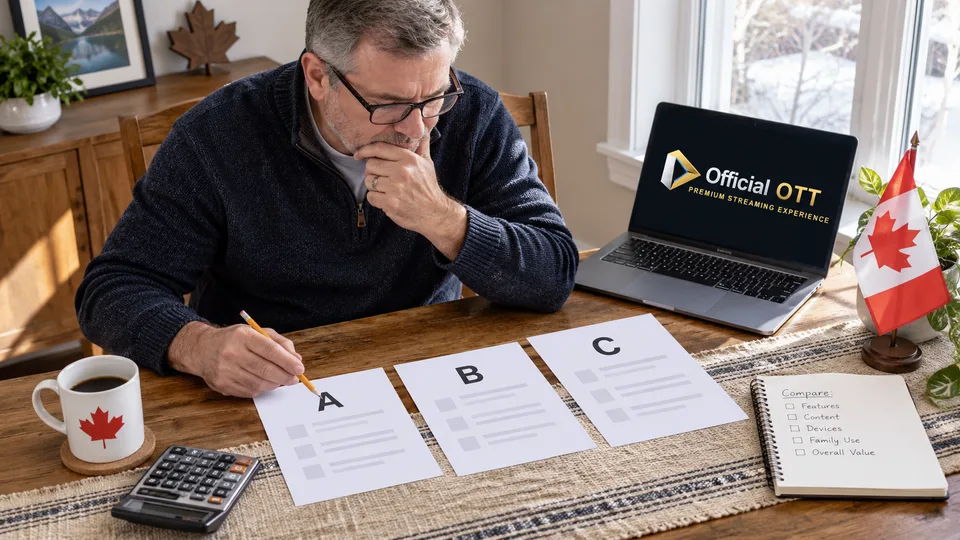
Fictional example: Léa and Marc want French-language programs, specific sports and simple navigation on their TV. Offer A advertises more channels, but their essential sport is unconfirmed. Offer B meets their verified needs and passes their trial. They choose B in this comparison without concluding that it is best for every household. The letters do not represent real providers.
Before committing, review differences between the sales page, the answers you received and the terms. Clarify any important contradiction. Save the exact offer name, dated conditions, management channel and trial results. Do not store passwords in your comparison worksheet.
Choose a commitment period that matches your use and remaining uncertainty. Set a review date before renewal or the next season that matters to you. If your needs change, revisit the table with your new priorities. A good choice is a documented decision at a particular time, not a permanent guarantee.

7. Frequently asked questions
What is the best IPTV Canada provider?
This method does not identify a universal winner. The choice depends on authorized programs available in your territory, your devices, the terms and the results of your trial.
Is the largest catalogue always better?
No. First verify the titles, languages, seasons and features you will use. A large advertised total may include many items that are irrelevant to your household.
Should I automatically choose the cheapest annual plan?
Compare cost over your actual viewing period and consider the commitment. A plan that is economical over twelve months may fit a seasonal or uncertain need less well.
Does the comparison table certify that a provider is legal?
No. It is a household decision tool. Content authorization needs separate verification through appropriate sources; a technical score or successful trial does not establish it.
8. Conclusion and limitations
This method helps compare offers without recommending or certifying a seller. The table and household example are fictional; no subscription was purchased or tested to produce a ranking. Catalogues, prices and terms can change. Clarify any essential uncertainty before committing.
9. Method and sources
Documentary research completed on October 13, 2026 using the primary sources below. The procedures and examples are an original editorial synthesis. Household examples and illustrations are fictional. No purchase, service trial, private-account inspection or performance measurement was conducted for this article.
Menus, features and terms can change. Check your model documentation and the service terms when making your decision.
- CRTC — options to watch TV
- CRTC — online television and territorial availability
- Competition Bureau — resources on fake reviews and subscriptions
Further reading added:
Editorial review: