

An offer advertising thousands of channels and a 4K picture appears easy to compare. Yet the number of catalogue entries, a programme’s resolution and a box’s output capability describe different things. This guide provides a practical check for the 2026–2027 season: start with the programmes you watch, trace the technical path and then observe the result from your usual seat.
1. Quick answer
A 4K television or streaming box does not establish that every programme arrives in native 4K. Check the specific content, subscription, device and video connection, then judge the detail and stability you can actually observe.
Five key points
- Count useful, distinct channels rather than catalogue entries alone.
- Separate programme resolution from a box’s output resolution.
- Check HDR separately from picture definition.
- Use an identified programme to assess your setup.
- Keep a dated observation instead of relying on advertising impressions.
- 1Identify the programme
- 2Check every stage
- 3Observe normal viewing
- 4Record the result
2. Start with the channels you would use
A large list can contain several versions of one channel, regional editions or different quality versions of the same feed. These variants may be useful, but they do not each satisfy an additional need. Make your own list of ten essential programmes or channels, specifying language, edition and viewing time. Obtain a clear answer for each entry before giving weight to an advertised catalogue total.
In a fictional example, a household wants five French-language channels, two sporting appointments and some subtitled films. A shorter offer that confirms those requirements is easier to assess than an enormous unexplained number. Catalogue length also tells you nothing by itself about distribution rights. This guide does not validate a promise of thousands of channels or provide a list of streams to import. Its purpose is to make a quality claim specific enough to check.

3. Understand what the 4K label describes
Resolution describes a pixel grid, but does not fully explain where the picture came from. A device can output 4K after enlarging a lower-resolution source. Your television may therefore receive a 4K signal without the programme having been captured or distributed at that definition. Ask what a displayed indicator measures: the incoming file or stream, the output setting, or simply the equipment’s maximum capability.
HDR concerns a different aspect of picture reproduction from pixel count. For Apple TV 4K, Apple advises checking that the television, HDMI input and intermediate equipment support the intended format. That product guidance shows why the name on a box is insufficient. Record your exact model and consult its manual before buying a cable or changing several settings. Keep each change identifiable so you can determine whether it helped.
Documentation: Apple — 4K, HDR and HDMI requirements
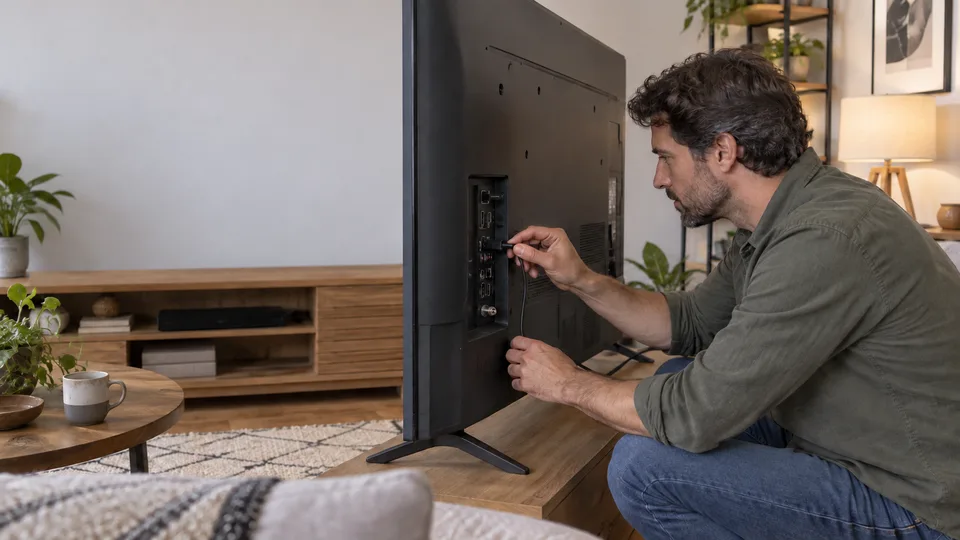
4. Trace the programme’s route to your screen
Write a short chain on paper: programme, subscription, application, device, video connection and television. Mark each step as confirmed or requiring a check. This avoids replacing a television when the limitation is in the selected content. If an audio receiver or soundbar sits in the HDMI path, include it in the drawing. The path to inspect includes everything through which the video signal actually passes.
Netflix identifies the title, plan, devices and settings among its quality checks, and explains that playback can adapt to the connection. Those documented behaviours concern Netflix and do not certify any other service. Look for your own provider’s requirements. A marketing label and playback information should not be treated as equivalent evidence. Write down which source supports each claim instead of assuming a capability passes automatically from one part of the setup to another.
Documentation: Netflix — video quality checks

5. Observe without inventing a laboratory result
Choose a programme with characteristics stated by an identifiable source and allow playback to settle. Watch from your normal distance, paying attention to faces, textures, motion, dark areas and subtitle readability. Record concrete defects, such as blockiness during movement or repeated losses of sharpness. Avoid reaching a conclusion from one paused frame or a photograph of your television. Those observations cannot establish the native resolution of an entire service.
Repeat the observation at your usual viewing time under comparable conditions. If your hardware permits a comparison between connections, change only that factor. Netflix currently recommends a stable connection of at least 15 Mbps for its UHD 4K; that is not a universal threshold for every IPTV service. A single speed measurement also does not guarantee an evening’s performance. Keep the scope of your conclusion as narrow as the evidence you collected.
Documentation: Netflix — recommended Internet speeds

6. Decide which expense would solve a real problem
Before purchasing anything, name the defect you want to solve and the evidence you expect afterward. A suitable cable can address an incompatible link; it cannot turn a limited source into a more detailed native programme. Similarly, a newer device does not automatically clarify a poorly described catalogue. Ask support which stage explains the observed limitation and what specific change would address that stage.
Your final record can be five lines long: programme tested, device, observed setting, connection conditions and result from the sofa. Add a date because offers and applications change. If the picture is satisfactory under your normal conditions, a less impressive label is not a reason to replace equipment. If a defect persists, you now have a reproducible case to describe rather than a vague request for more 4K. This makes both support conversations and buying decisions more useful.
7. Frequently asked questions
Does a 2160p output prove native 4K content?
No. It may describe the signal sent to the television after conversion. Identify what the indicator measures and obtain information about the programme as distributed.
Are all channels in a 4K subscription actually 4K?
Do not assume so. Check the specific channels and programmes you want, together with the restrictions of the offer and your devices.
Are the illustrations in this guide resolution tests?
No. They are generated educational scenes, not stream captures, bandwidth measurements or technical before-and-after comparisons.
8. Conclusion and limitations
A verification method without provider rankings or independent stream measurements. Cited requirements belong to the documented products and must be checked for your exact model and subscription.
9. Method and sources
Documentary research conducted on October 13 and 14, 2026 using the references below. Procedures and examples form an original editorial synthesis. Illustrated scenes and interfaces are fictional: they do not represent an OfficialOTT catalogue or establish broadcasting rights. No purchase, service trial, private-account inspection or performance measurement was conducted for this article.
- Apple — 4K, HDR and HDMI requirements
- Netflix — video quality checks
- Netflix — recommended Internet speeds
Editorial update and further reading: