

Buying an IPTV subscription should not start with the longest term or largest channel count. First establish what you are actually buying: a content service, a player licence or a bundle of services. This process helps you prepare a documented decision for live TV and on-demand content without making a purchase on your behalf.
1. Quick answer
Identify the seller and product, confirm authorized content and device compatibility, then read payment and renewal terms. Test priority uses where possible and keep the offering’s description and order confirmation.
Five key points
- An IPTV player and content subscription may be sold separately.
- Check compatibility against the exact device model.
- A trial should reproduce your uses, not merely display a menu.
- The initial price does not always describe renewal.
- Written confirmation is more useful than a hard-to-recover verbal promise.
2. Identify exactly what is being sold
Read the product name and included elements: content access, app, device count, duration and any hardware. If payment covers a player licence, ask where programmes will come from and who manages that access. A successfully installed player does not automatically provide a catalogue.
Check the seller’s identity and contact details on its official website. The payee’s or payment provider’s name should be understandable within the purchase process. If information conflicts, ask for an explanation before paying. A quick conversation does not replace accessible terms.
Documentation: CRTC — options for watching television

3. Confirm programmes and the device
Prepare a list of essential programmes and your TV or box model. Ask for confirmation relevant to Canada and, if needed, your province. Live TV, sport and replay availability must be checked separately; a general “all included” statement does not explain the limits.
Check the app in your device’s official store and read its documentation. If an unusual installation method is proposed, ask why it is necessary and who maintains the software. Do not disable device protections simply to speed up the purchase.
Also record household needs: language, subtitles, ease of use and simultaneous streams. These checks avoid discovering after payment that access works technically but does not suit household habits.

4. Read the purchase details before the payment page
| Element | Question to resolve |
|---|---|
| Duration | Which exact period are you buying? |
| Price | Which currency, taxes and fees are stated? |
| Renewal | Is it automatic, at what price and on which date? |
| End of service | How do you cancel, and when does it take effect? |
| Trial | What happens at the end? |
| Support | Which official channel handles order problems? |
The Competition Bureau warns about subscription traps where a trial or initial offer hides recurring payments. Understand the mechanism before providing payment information. Keep a copy of the displayed terms and consultation date.
Do not assume deleting the app cancels billing. Identify the billing channel before purchase, especially if the household uses several stores or accounts.
Documentation: Competition Bureau — subscription traps
5. Run a trial that supports the decision
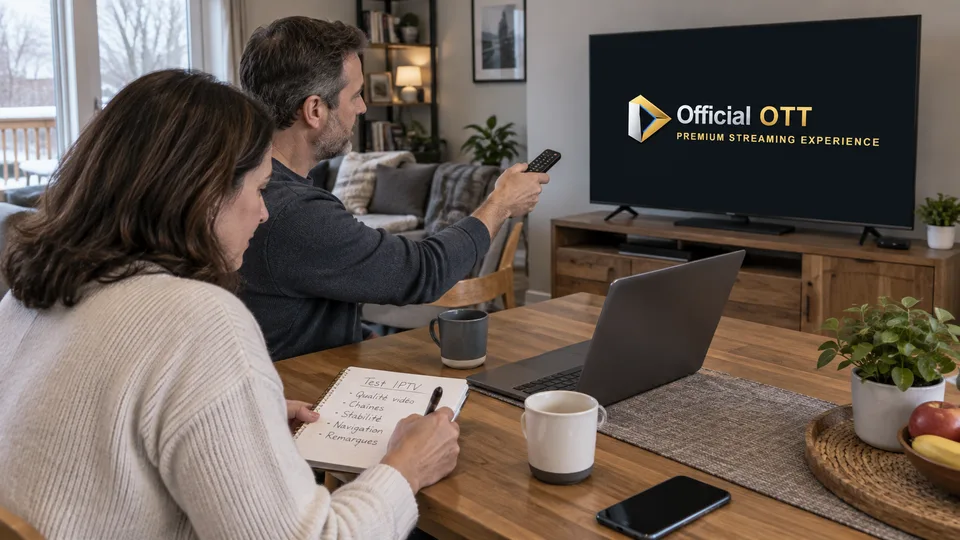
If a trial is offered, check its duration, ending conditions and any requested payment details. Try priority content, programme switching, sound and subtitles on the main device. A demonstration at the seller’s location does not describe your home connection.
Record a result for each criterion: confirmed, unavailable or needs clarification. Do not use one successful playback to conclude permanent availability. Conversely, an absent essential need deserves an answer before choosing a long commitment.
Fictional example: Marc wants live TV and a specific series. The trial confirms live viewing, but the desired season is not included. He revisits his decision before paying annually instead of assuming the catalogue will be expanded.

6. Keep evidence and check access after purchase
Use the official payment process you verified. Do not send full card details or a security code in a support chat. Keep the receipt, order reference, period and subscription-management channel.
Once the purchase is confirmed, promptly check that access matches the description. If an issue appears, contact the seller through its official channel with the relevant reference, without publishing credentials. Distinguish a payment question from a player problem to reach the right contact.
The best purchase decision is one whose contents, limits and next due date you can explain. If one remains unclear, clarify it before extending the term or adding a device.
Documentation: Google Play — managing subscriptions
7. Frequently asked questions
Does buying an IPTV app provide channels?
Not necessarily. The player licence and content access may be separate products.
Should I choose an annual plan immediately?
Only if the uses, terms and duration suit your needs. An advertised discount does not replace content and compatibility checks.
Does a free trial mean no renewal?
Check the terms. Some trials become subscriptions according to the process accepted.
What if the offering received does not match the description?
Keep evidence and contact the seller through its official channel. Applicable steps depend on the contract and your situation.
8. Conclusion and limitations
This checklist prepares a decision and is neither a sale nor legal advice. Terms, taxes and remedies depend on the offering and situation. This article certifies no provider, payment method or subscription.
To prepare for setup and everyday use as well, browse the IPTV and OTT guides gathered on OfficialOTT’s home page.
9. Method and sources
Documentary research completed on October 12 and 13, 2026 using the primary sources below. The procedures and examples are an original editorial synthesis. Household examples and illustrations are fictional. No purchase, service trial, private-account inspection or performance measurement was conducted for this article.
Menus, features and terms can change. Check your model documentation and the service terms when making your decision.
- Competition Bureau — subscription traps
- Google Play — managing subscriptions
- CRTC — options for watching television
Editorial update and further reading: