

1. Check access before planning the evening
The 2021 Vancouver CMA includes Vancouver, Burnaby, Richmond, Surrey and Coquitlam, among other communities. That statistical boundary defines the geographic scope of this guide; it does not determine access to a digital resource. Your library system and card type remain separate things to check.
VPL lists Medici.tv as a music video resource for its cardholders. Its registration page distinguishes several residency situations and notes that some services have additional restrictions. If you live in Burnaby or Surrey, check your own card arrangements instead of assuming the whole metropolitan area uses one account.
We followed Access Now to the VPL form requesting a card number and PIN, without entering either. Keep this starting point for future visits. OfficialOTT is independent of VPL and Medici.tv and does not sell IPTV access, music subscriptions or library cards.
2. Choose a particular recording, not just a work
Two recordings with the same title may have different performers, staging or musical versions. Before comparing their cover images, record a few identifiers: composer, version, conductor and production year. Those details help you find your choice again without relying on a thumbnail or an incomplete memory of its title.
The public listing we inspected was Orphée et Eurydice in Berlioz’s version after Gluck, conducted by Raphaël Pichon. It lists a 2023 production at Halle 47 in Floirac and a running time of 1 hour 47 minutes. This is an example of reading a listing, not a performance taking place in Vancouver.
The page restricted the full video to subscribers. We inspected its information without verifying complete playback or availability through VPL. If you discover a work on the public site, find that particular production again within your authenticated library route before building the evening around it.
3. Match the programme to the time you have
A twenty-minute evening and a two-hour session call for different choices. First decide whether you want to discover an overture, watch an act or follow a complete work. Allow time to get ready and take a break; those minutes are not included in the listed video duration.
The library help pages describe navigation through chapters and the playback timeline. Once you have access, look at the markers actually available on your video. A chapter title is often easier to recover than a vague memory of a scene, but different works do not necessarily support the same kind of division.
For a first encounter, keep one simple question in mind: which instrument returns, how do the voices interact, or how does the setting change? You do not need to take notes throughout the performance. A brief reference at the beginning and end can be enough to revisit a passage that caught your interest.
4. Separate interface, sung language and subtitles
A French interface does not mean that a work is sung in French or that every video has French subtitles. Check each element separately. When watching with someone else, first choose a reading language you both understand, then make sure the text is readable from your planned seats.
The Orphée et Eurydice listing announces a French version and subtitles that include English and French. These are displayed metadata, not a certification of their accuracy or availability within a library session. Medici.tv’s help page says the CC control gives access to available subtitles.
Before settling in, try a short passage using your actual access. Check whether you can follow the lines while the performers move and whether the text covers a detail you want to see. If the smaller screen works better, keep it: a larger television is useful only when viewing remains comfortable.
5. Prepare the library app and television separately
The library mobile route uses Medici.tv EDU. Its help pages describe an individual account associated with institutional access for signing into the app. Do not assume that the library card number requested by VPL is the same credential the app requires; follow the instructions for your resource.
EDU documentation describes casting from a phone or tablet through Chromecast or AirPlay using compatible equipment on the same Wi-Fi network. We did not test that feature. Devices and buttons promoted on the commercial site do not, by themselves, establish compatibility with your particular library access.
Prepare this before the evening begins: establish playback on the starting device, then check the destination screen. If casting fails, keep a simple option that already works. Avoid buying equipment or subscribing to an offer in a hurry to solve a problem whose cause you have not yet identified.
6. Keep your place without assuming permanent access
At the end of the session, record the exact title, production and chapter or playback time reached. Add a short personal note, such as a passage to revisit or an instrument to listen for more closely. Keep the VPL resource link too, so you can return through the same access route.
Medici.tv’s help pages distinguish live-stream replays from the rest of the catalogue and describe a usual 90-day replay window. That is not a guarantee for every title. Check the information attached to your programme and separate its production date, catalogue arrival and viewing deadline.
If a video is missing when you return, search for the exact production first. Another interpretation may be worth discovering, but it is not necessarily the continuation of the same performance. When watching separately with friends, share a title and reference point; each person should check their own access without exchanging PINs.
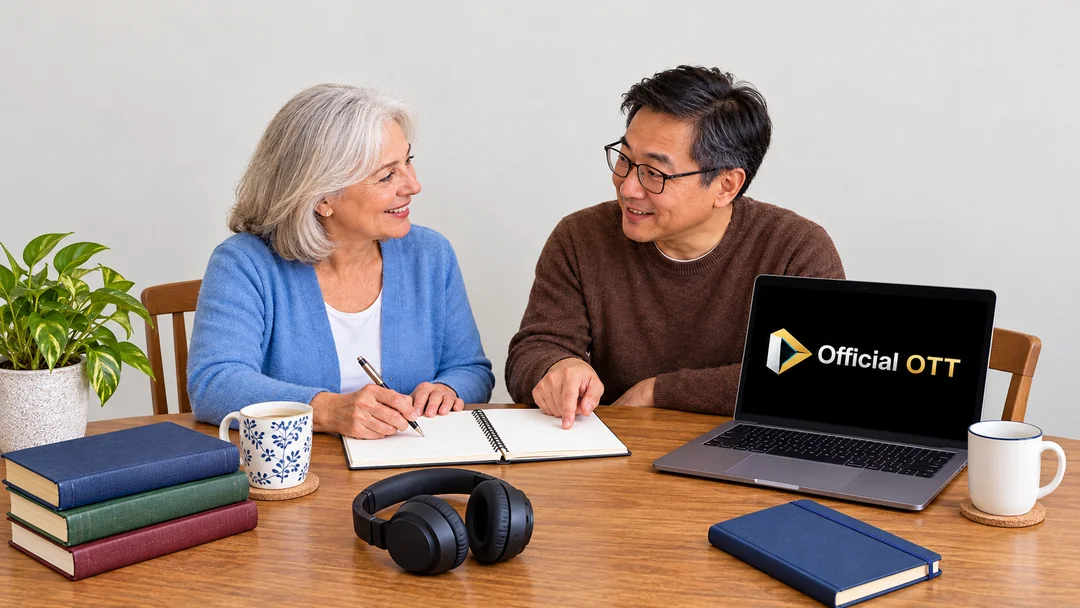
Practical example: a discovery over two Vancouver evenings
A fictional Vancouver couple has forty minutes after dinner. After checking access, they choose a recording and plan a first passage, leaving time to read its introduction. They use the full running time as a reference instead of trying to fit the complete work into that short slot.
Before closing the player, they record the production and chapter reached. Next time, they check availability and subtitles again before continuing. This scenario illustrates a possible routine; we did not authenticate a card or watch the entire opera.
What should you keep for your music evening?
| Decision | Check | Useful reference |
|---|---|---|
| Access | Card and library route | VPL resource page |
| Recording | Version and performers | Title and production |
| Time | Duration and chapters | Chosen stopping point |
| Languages | Audio and subtitles | Option actually available |
| Screen | Playback and compatibility | Device tested at home |
| Return | Current availability | Chapter and playback time |
Practical checklist
- Start from the VPL resource page.
- Identify the exact recording.
- Plan a realistic session length.
- Check languages in your own player.
- Test your device before the evening.
- Keep a precise return point.
Frequently asked questions
Does living in the Vancouver CMA automatically provide VPL access?
No. The statistical boundary does not replace checking card eligibility and resource conditions.
Does a public listing prove availability through VPL?
No. Find the programme within your authenticated library route.
Was the complete opera watched?
No. We inspected the public listing and its access restriction, without complete playback.
Are French subtitles guaranteed on every video?
No. Check the languages offered for each programme in the player available with your account.
Was television casting tested?
No. This guide reports official EDU instructions and suggests a check you can perform at home.
Conclusion
An online music evening in Vancouver starts with confirmed access and an accurately identified recording. Choose a comfortable pace, check the languages and prepare your screen. A few precise reference points make it easier to return to the work without depending on an approximate title or assumed availability.
Scope and limits of this guide
Public sources consulted October 8, 2026; geography follows the 2021 CMA. VPL resource and Access Now link followed to the card/PIN form without entry. Card pages inspected. Public EDU site opened, then commercial Orphée et Eurydice page inspected for production, duration, languages and premium restriction. Official library documentation consulted for chapters, subtitles, app login, casting and replays. No authentication, account creation, purchase, complete playback, certified listening or television casting. Availability of this production through VPL not verified. Original method and scenario; six fictional illustrations inspected.
Method and sources
- Statistics Canada — Vancouver CMA, 2021
- VPL — Medici.tv
- VPL — Register in Person for a Library Card
- VPL — Medici.tv resource authentication
- Medici.tv — Berlioz’s Orphée et Eurydice, after Gluck
- Medici.tv for libraries — Browse through a video
- Medici.tv for libraries — Display subtitles
- Medici.tv for libraries — App login
- Medici.tv for libraries — Cast from a phone or tablet
- Medici.tv for libraries — Previous live-stream replays
Images are AI-generated editorial illustrations of fictional situations. They do not document real installations or customer experiences.