

1. Separate Internet access, the TV service and the player
Write three lists: the programmes you want, the screens you actually use and the functions that matter. A household might need French-language live television in the living room, documentaries on a tablet and subtitles for a family member. Those are more precise selection criteria than a promise of thousands of channels.
The Internet connection carries data. The TV or video service defines which programmes are accessible under its conditions. The player and device provide playback. The word IPTV does not replace any of these checks: installing a player does not automatically supply a catalogue, and replacing the router does not change account entitlements.
Decide what must work on the first day and what can wait. For someone who mostly uses a remote, prioritize a straightforward viewing process over the number of settings. For a bilingual household, record menu language, audio language and preferred subtitles separately.
2. Read Quebec’s map without treating it as an installation record
The provincial coverage page displays a map publication date of August 28, 2026. For an address, “served” means access along the street; it does not establish that the dwelling has already been connected. Resellers are not included, so confirm available options directly with the provider.
Prepare the civic number, unit, municipality and postal code. Ask about the proposed technology, necessary equipment, activation lead time and access arrangements. In a multi-unit building, the network reaching the building and the connection reaching your unit are separate points to clarify.
Keep a dated record of the answers. If the map and provider differ, request an address-specific check instead of choosing by a coloured area. A confirmed order and its conditions are a more useful starting point than an inference from neighbouring properties.

3. Adapt the home network to the dwelling, not the city name
A Montreal apartment, suburban house and home in a smaller municipality cannot be assessed with one rule. Walls, floors, gateway placement and distance to the television matter within your setup. The municipality’s name alone cannot establish a universal connection speed.
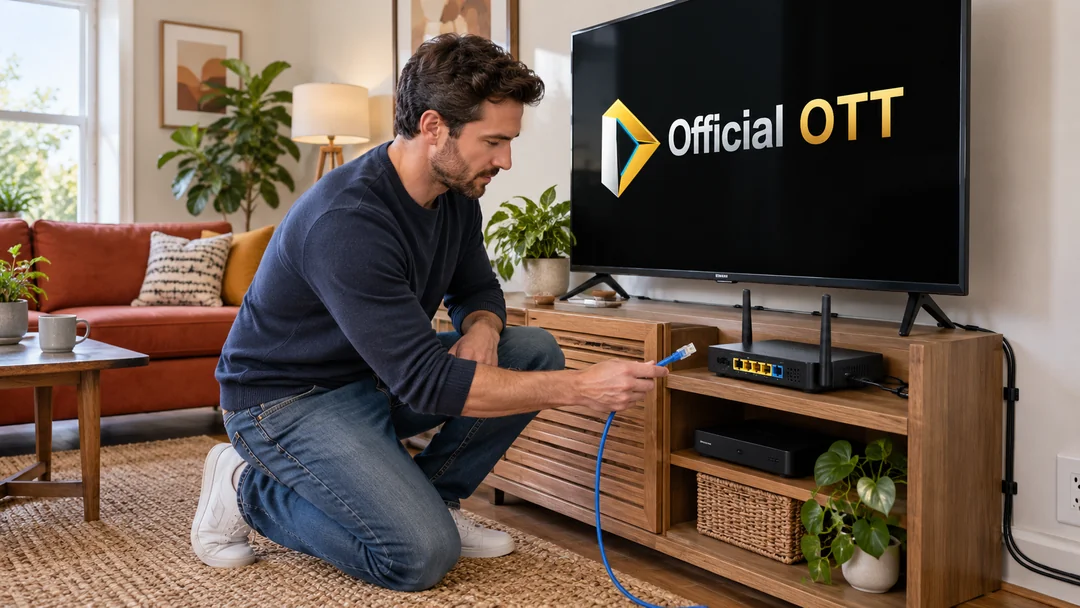
First try playback near the gateway, then on the TV device in its usual location. If Ethernet is available, use it as a temporary comparison while keeping walkways clear. Record whether the difficulty affects one room, one app or every device.
Before adding Wi-Fi equipment, test a more open location and consult the manufacturer’s instructions. An extender placed where the signal is already weak may not solve the problem. Identify the limitation before deciding which hardware to buy.
4. Plan the main residence and cottage separately
Do not automatically copy the home setup to a second property. Check that address’s coverage, seasonal contract conditions, data allowance and the TV service’s away-from-home rules. Availability in a municipality does not establish availability along every road.
Before a stay, estimate viewing evenings and screens. A mobile hotspot can serve an occasional need only if the plan and reception support it. Distinguish mobile data from the residential connection’s allowance: meters and conditions may differ.
Choose a solution proportionate to the stay. Where the service permits downloads, prepare them on the relevant device and check their usage conditions. Avoid subscribing to a new offer after one difficult evening without separating signal, consumption and access to the programme.
5. Verify French-language content and everyday functions
For Quebec programmes, begin with broadcasters’ official pages, such as Télé-Québec and ICI TOU.TV. Find the specific programme, then check how it plays on your device. A title appearing on a service does not mean it is included in every plan or available in the same way everywhere.
Prepare a small representative sample: a regularly watched programme, live content where offered, a subtitled video and something another household member uses. Check each use with the account that will actually be used.
Do not confuse a French interface with French audio. Check subtitle readability, playback controls and the route back to the home screen. If a programme is missing, check its official availability before repeatedly changing players.

6. Link the correct account to the correct device
Radio-Canada documents an ICI TOU.TV browser activation option when scanning a QR code is not possible. The procedure and link depend on the platform. Follow the official page and confirm the browser is using the intended account; the platform list does not establish compatibility with every model.
Before pairing, record the television or streaming device model and software version. Check that the app comes from the device’s official store. If a code appears on screen, keep it private and use only the process identified by the service.
After signing in, actually play a programme. Return to the home screen and repeat the process with the remote. This short sequence reveals problems that an activation confirmation does not: the wrong account, a difficult menu, missing audio or overlooked subtitles.

7. Distinguish province, administrative region and metropolitan area
Quebec has 17 administrative regions. A census metropolitan area is a different geography. The provincial guide helps organize the general process; a metropolitan article can explain local context without turning a statistical boundary into a commercial coverage area.
Relevant metropolitan areas include Montréal, Québec, Saguenay, Sherbrooke, Trois-Rivières and Drummondville, along with Ottawa–Gatineau, which crosses the provincial border. Treat the latter as an interprovincial area rather than two identical markets defined by one plan.
Use the region name to organize research, then return to the dwelling, account and device. A page titled “IPTV Montreal” or “IPTV Quebec” is not evidence of local availability. OfficialOTT presents a selection method here and does not claim installations or local teams in every municipality.

Practical case: two addresses, two decisions
Fictional example: a household keeps its Montreal setup and prepares for stays in the Laurentians. At home, a problem affects only the bedroom, so they begin with the indoor network. At the cottage, they first need to confirm coverage and account conditions. These problems do not necessarily call for the same equipment or contract.
They keep one worksheet per address, recording the confirmed connection, device, required programmes and test result. This prevents them from treating successful playback in the Montreal living room as evidence that the cottage setup will work. Each location’s needs and observations inform the decision.
A selection worksheet for your address
| Criterion | Evidence to seek | Decision to postpone without it |
|---|---|---|
| Connection | Availability confirmed for the dwelling | Switch date or cancellation of the old connection |
| Content | Programme and plan verified with the broadcaster | Choice based on a generic channel list |
| Device | Compatible model and app | Purchase of an additional streaming box |
| Household use | Audio, subtitles and remote tested | Removal of the previous setup |
| Second address | Coverage and conditions for that stay | Automatic duplication of the main plan |
Practical checklist
- Complete address and unit confirmed
- Technology, equipment and activation explained
- Priority programmes checked through official sources
- Device model and version recorded
- Official app and intended account identified
- Playback, audio and subtitles tested
- Second property checked independently
- Answers and observations recorded with dates
Frequently asked questions
Does a served address on the map mean my home is connected?
No. The map is a coverage reference. Confirm the dwelling’s connection, equipment and activation with the provider.
Do I need an IPTV box to watch Internet television in Quebec?
That depends on the service and device. Check whether your existing television or device has a compatible app before buying a box.
Does a French-language app guarantee the programmes I want?
No. Separate interface language, programme language and availability within your plan. Check the specific title with the broadcaster.
Can I use the same account at the cottage?
Consult the service’s current household, device and travel rules. Check the cottage connection independently as well.
Why have provincial and metropolitan guides?
The provincial guide explains provincial resources and the selection method. Metropolitan guides can add local context. Neither geography replaces a commercial availability check for your address.
Conclusion
Choose IPTV in Quebec by starting with the dwelling and household uses. Confirm Internet access, verify programmes through their official sources and try the full viewing process on your devices. A short worksheet with checked answers is more useful than a general ranking that ignores your address, language and habits.
Scope and limits of this guide
Public sources consulted on October 4, 2026: the Quebec government, Télé-Québec, Radio-Canada and Statistics Canada. Procedures, worksheets and fictional cases are an editorial synthesis. No coverage test at a private address, comparative provider trial or access to a customer account was performed. Maps, apps and conditions can change; confirm information with the responsible organization before choosing.
Method and sources
- Gouvernement du Québec — Accès à Internet haute vitesse, état de situation
- Gouvernement du Québec — Portraits des régions administratives
- Télé-Québec — Plateforme officielle
- Radio-Canada — Activer ICI TOU.TV sans numériser le code QR
- Statistics Canada — Census metropolitan areas, 2021 Census
Images are AI-generated editorial illustrations of fictional situations. They do not document real installations or customer experiences.