
1. Decide what you want to learn
This guide uses the 2021 Kitchener–Cambridge–Waterloo census metropolitan area: North Dumfries, Cambridge, Kitchener, Waterloo, Wilmot and Woolwich. This statistical boundary organizes our coverage. It does not describe an Internet provider’s service area or establish eligibility for a library membership.
Start with a concrete question: understand a laboratory’s work, explore a scientific subject or practise a creative technique. Decide how much time you have and your preferred language. A short lesson, a full lecture and a film can all be useful starting points, but they require different levels of attention.
For an introductory group session, read the description before playing the video. Look for an audience or level indicator. A title containing “quantum” could belong to a general presentation or a highly specialized research seminar. A freely available player does not by itself make the material suitable for beginners.
Internet television and IPTV describe viewing arrangements or delivery methods; they do not automatically unlock the resources listed here. Save the organization’s name, exact title and public link. These details help you find the same version on another screen without relying on an approximate search result.
2. Identify your library and access route
Kitchener offers free cards to Waterloo Region residents. Waterloo Public Library accepts regional residents and property owners, as well as students at local postsecondary institutions, among other eligible groups. Check your library’s membership page for identification requirements and card type before planning digital access.
Cambridge offers free membership to people who live, work, own property or study there. Residents of reciprocal communities, including Kitchener, Waterloo and Waterloo Region, may also qualify. Online-only registration is for Cambridge residents. Card eligibility still needs to be followed by a check of the digital resources available to that membership.
Kitchener’s Watch page lists five monthly Hoopla borrows and a library budget limit resetting at midnight. Cambridge lists four monthly Hoopla items. Waterloo offers Kanopy. Keep each fact attached to its institution; an allowance found on another library’s website is not your own account balance.
If you cannot continue, note the exact message and the step where it appears. A rejected card, exhausted personal allowance, collective limit and playback problem can have different causes. Consult your account balance and the conditions shown for the selected title before borrowing.
3. Start with a Perimeter public lecture
PIRSA hosts From Hydrogen to Higgs Bosons: Particle Physics at the Large Hadron Collider at CERN, a Clara Nellist lecture dated May 8, 2024 and categorized as Public Lectures. Its player started without an account during our check and showed 1 hr 18 min 38 sec. We tested about nineteen seconds, not the complete lecture.
This record demonstrates a useful route: open the archive, verify the title and date, read the description, then try the player. A resource link labelled Screenshots and slides is also present. That label does not establish that it is a transcript; choose a supporting format that actually meets your needs.
The tested player exposed no caption tracks. Do not rely on French captions without checking them. The record also identifies Perimeter’s official public YouTube channel. Options may differ on another platform and need to be checked on the exact version you select.
To find more introductory material, use the Public Lectures category rather than treating every seminar as equivalent. Perimeter also describes resources for learning and teaching physics. Choose an appropriate level and review any prerequisites in the description; a university archive can serve very different audiences.
4. Turn viewing into a useful session
Before starting, write one question you would like to answer. Divide a page into three areas: new idea, term to look up and remaining question. This personal structure helps you follow a presentation without trying to copy every sentence or reproduce every slide.
Pause when an idea deserves a second look. Try to explain it in your own words, then continue. If the material is too specialized, return to the description or choose an introduction. Changing the level is more useful than allowing an hour to play after you have lost the thread.
Keep a resumption note with the title, link and stopping time. Automatic progress tracking can depend on the device or account. Your own note remains useful when switching screens. If the player offers a link to the current moment, verify that it reopens the intended passage before saving it.
For a shared session, leave a few minutes for discussion. Each person can mention one idea they understood and one open question. Distinguish the speaker’s explanation from your own guesses. Follow references or another official resource for further reading instead of relying on an isolated assertion in comments.

5. Alternate lectures, courses and documentaries
Cambridge Public Library lists Creativebug for creative activities, LinkedIn Learning for skills and Kanopy for films. Its published LinkedIn Learning mobile Library ID is cambridgepl.ca. Follow the library’s link and help instructions to select the access route intended for your card.
Kitchener’s Watch portal also lists Get Set Up, CBC Corner and the National Film Board. Waterloo describes Kanopy material in multiple languages and multilingual captions for selected titles. These are useful discovery routes; verify the language options of the individual film before planning your session.
A practical course often involves handling materials while the video is paused. Position the screen comfortably and keep its controls accessible. For a craft activity, prepare the materials specified by the lesson and start with a small exercise. This guide’s illustrations are not prescribed equipment lists.
A documentary can complement a lecture, but two items about the same subject may have different aims. Compare their dates, publishers and levels. For a library loan, also read the displayed expiry and conditions. Start borrowing when you have time to watch, especially if you expect to divide it into several sessions.
6. Prepare the screen you will use
Try the resource on a computer or tablet first. Check playback, pause, resume and sound. Then move to the screen you will actually use. A page that works in a computer browser does not guarantee equivalent behaviour in a television browser.
If the service provides an app for your television model, consult its official instructions. HDMI may be another option with compatible devices, requiring the correct ports or adapters. Check the exact model documentation before buying anything. No physical television connection was tested for this guide.
Sit where you intend to watch and check whether slides are readable, rather than testing only the title screen. If a figure remains too small, use the publisher’s supporting material on a second screen when available. Keep enough light for notes and for operating the controls.
When something fails, identify what changed. A public lecture playing on a computer but failing on a television suggests a different problem from a card rejected by a portal. Change one thing at a time. Have a simple alternative, such as continuing on the computer, to preserve time for the content itself.
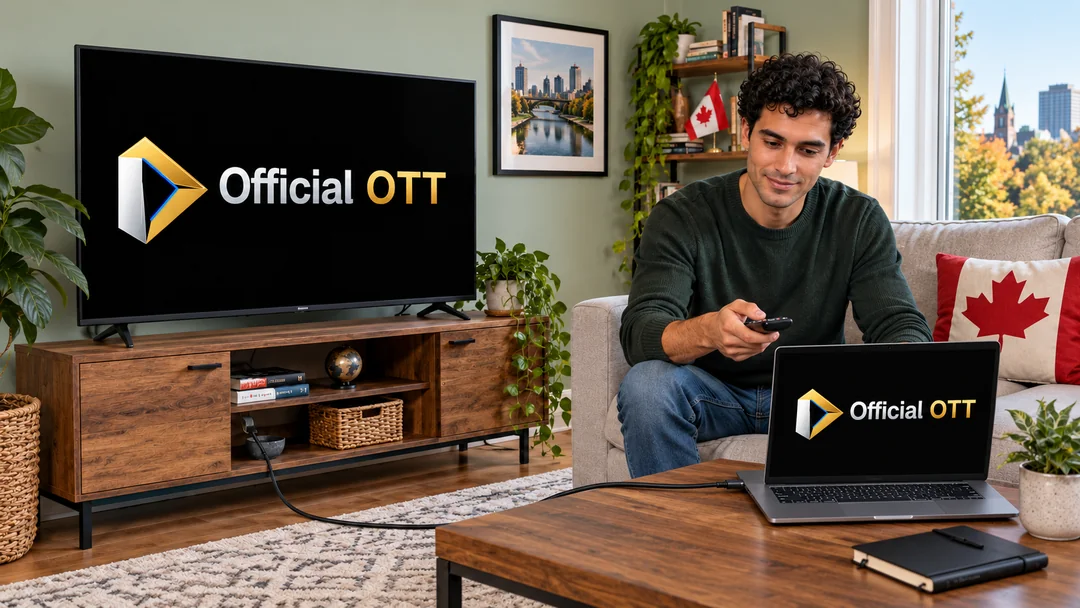
Practical case: a first science evening in Waterloo
Two fictional adults have forty minutes. They choose a public lecture, read its description and prepare one question each. Because its running time exceeds their available time, they decide to watch a first portion and save the stopping minute. They test sound and player options before settling in.
Their alternative is a documentary found through their own library’s portal. They wait to borrow until they have chosen and checked its conditions. If the television makes slides difficult to read, they continue on the computer. They finish with two personal notes without pretending to have completed the lecture.
Which route should you choose?
| Your aim | Starting point | Useful check |
|---|---|---|
| A public science lecture | PIRSA: Public Lectures | Level, duration and captions |
| A film with a Kitchener card | KPL: Virtual Library | Personal and collective limits |
| A film with a Waterloo card | WPL: Movies & Music | Title, language and conditions |
| A skill or creative activity | Cambridge: All Online Resources | Library access and materials |
| A large-screen session | Service player or app | Readability, sound and resume |
Practical checklist
- Choose a question and available time.
- Find the publisher and intended audience.
- Use the portal linked to your card.
- Check language, captions and title conditions.
- Test playback on the final screen.
- Save the title, link and stopping time.
Frequently asked questions
Is the CMA exactly the same as Waterloo Region?
This guide uses the six municipalities in the 2021 CMA listed at the beginning. That statistical boundary does not determine library eligibility.
Do I need a card for the cited PIRSA lecture?
The public player started without an account during our test. Library platforms have their own access conditions.
Do Kitchener’s five Hoopla borrows apply in Cambridge?
No. The pages checked list five in Kitchener and four in Cambridge. Always check the local portal.
Does the lecture have French captions?
No caption tracks were present in the PIRSA player we tested. Check the options on your selected version.
Does OfficialOTT provide these courses and films?
No. This editorial guide directs readers to the libraries and organizations responsible for the resources.
Conclusion
In Kitchener–Cambridge–Waterloo, build a manageable learning session around one question, an identifiable source and a tested player. Public lectures, courses and documentaries complement each other when their levels and access conditions are understood.
Scope and limits of this guide
Official sources consulted October 6–7, 2026; statistical boundary from the 2021 Census. Kitchener Watch portal and PIRSA record inspected in the browser. PIRSA playback tested for 19 seconds and paused: duration 1 hr 18 min 38 sec; no caption tracks observed. The main Perimeter website presented a security check in our browser; PIRSA remained accessible. No library account, loan, authenticated course or television hardware tested. Advice and fictional case written by OfficialOTT; six generated illustrations depict fictional situations.
Method and sources
- Statistique Canada — RMR Kitchener–Cambridge–Waterloo, 2021
- Kitchener Public Library — cartes
- Kitchener Public Library — Virtual Library, Watch
- Waterloo Public Library — Membership
- Waterloo Public Library — Movies & Music
- Cambridge Public Library — Membership
- Cambridge Public Library — All Online Resources
- PIRSA — From Hydrogen to Higgs Bosons, Clara Nellist
- SciVideos — fiche de la conférence et classification publique
- Perimeter — chaîne publique officielle
- Perimeter — ressources pour apprendre et enseigner la physique
Images are AI-generated editorial illustrations of fictional situations. They do not document real installations or customer experiences.